
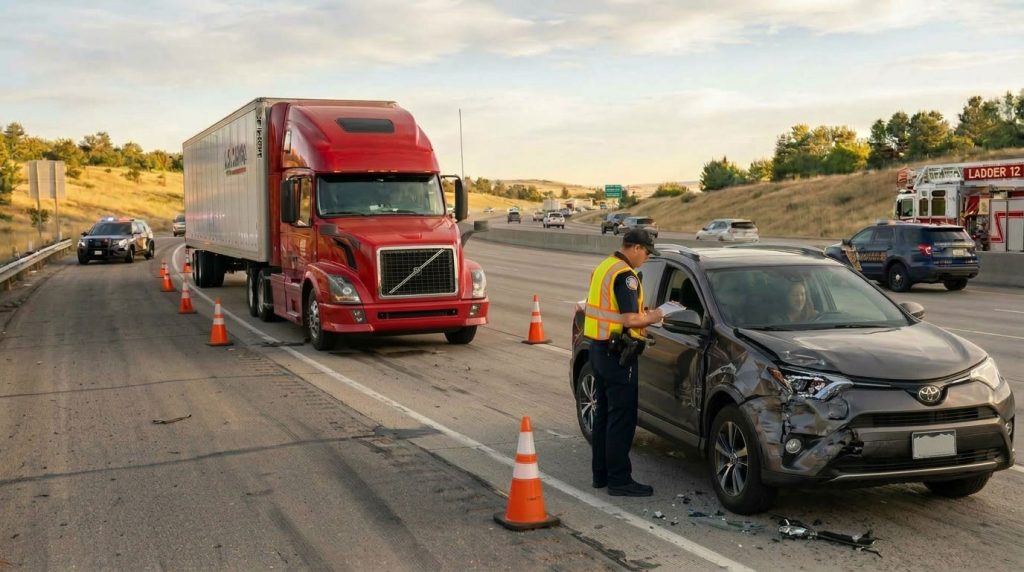
Knowing what to do after a truck accident starts with a simple priority: protect people before collecting evidence. Call for emergency help when needed, get medical attention, and document what happened only when you can do so safely. Photographs and paperwork should never delay treatment.
Once immediate needs are addressed, organize the information that could help explain the collision. This 2026 checklist focuses on an important part of that process: preserving dashcam footage and other digital records without changing the originals. It is written for motorists involved in U.S. truck crashes, not as a commercial driver’s complete compliance checklist.
1. Get to Safety and Request Emergency Help
Call 911 when someone is injured, trapped, or in immediate danger. Give the highway name, travel direction, nearest exit or mile marker, and the number of vehicles involved. Report smoke, leaking cargo, or blocked lanes. The National 911 Program recommends answering the call-taker’s questions and following instructions until help arrives.
If your vehicle is drivable, move out of traffic only when safe and consistent with police instructions. Do not remain in an active lane to photograph vehicle positions. Avoid leaking fluids, unstable cargo, and damaged barriers. Ask responders where you should wait rather than walking around the truck.
2. Get Medical Attention and Watch for Changes
Tell medical personnel what happened and describe symptoms accurately. Do not assume that being able to walk means you are uninjured. The CDC’s concussion guidance explains that some symptoms may appear hours or days after an injury.
After a possible head injury, a worsening headache, repeated vomiting, confusion, seizures, or difficulty waking require emergency medical attention. Follow your clinician’s instructions and report new or worsening symptoms. Keep discharge paperwork and appointment records together. Medical decisions should be based on your health, not on creating an insurance claim.
3. Record Driver, Vehicle, and Witness Details
When safe, exchange contact and insurance information. Record the truck’s license plate, carrier name, and any visible USDOT number. Photograph the tractor and trailer identification separately. Later, the FMCSA Company Snapshot can help identify a carrier using its name or identification number.
Ask willing witnesses for contact details. Note the responding officer’s agency and report number. Take wide photographs of the scene and closer images of damage, signs, lane markings, and debris from a safe position. Write down what you personally observed, separating facts from guesses about speed, distraction, or fault.
4. Save Dashcam Footage Without Altering It
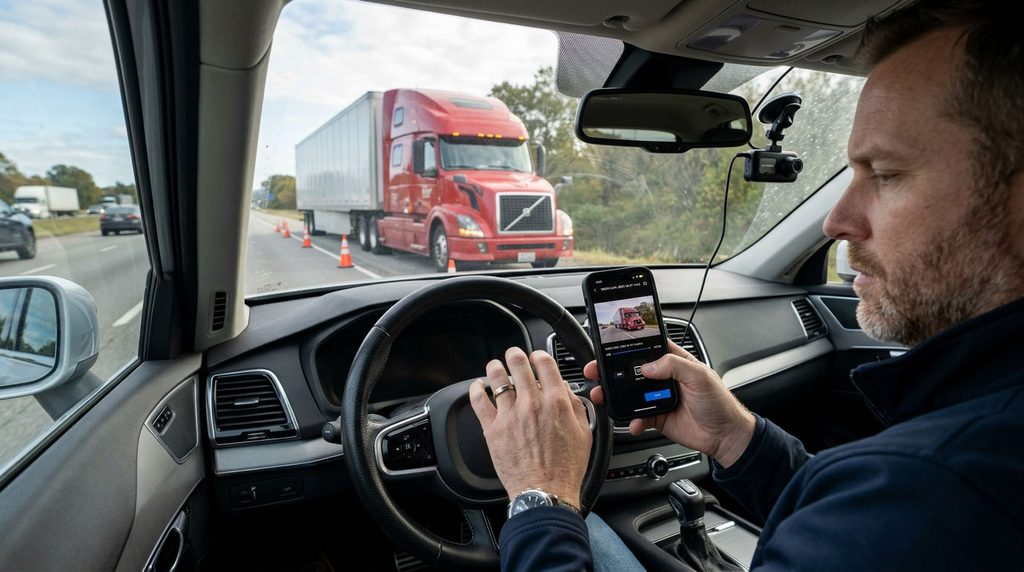
Some cameras automatically replace older recordings. For example, Garmin’s dashcam recording instructions explain that unsaved footage can be overwritten when storage fills. Check your own camera’s instructions because recording and retention settings differ.
Back Up the Original Recording
Once you are safe, use the camera’s save or event-lock function as directed. Preserve footage from before, during, and after the crash. Save an unmodified copy in secure storage, and avoid formatting the memory card or deleting relevant files. Do not assume an impact sensor successfully saved everything.
Keep a Simple File Log
Record the device, original filename, approximate recording time, and when you copied or shared the file. Note any known camera-clock error separately rather than editing the recording. Preserve original photos before making resized or annotated copies. Do not replace evidence with AI-enhanced images or edited clips. NIST’s digital evidence preservation guidance explains the importance of maintaining digital evidence integrity.
A practical folder structure is to keep untouched originals in one folder and working copies in another. Store the backup somewhere separate from the phone or camera. When sharing, use a secure channel requested by your insurer or lawyer rather than posting publicly.
5. Identify Other Potential Evidence Sources
Note nearby businesses, parking facilities, or vehicles that may have cameras. Ask owners whether relevant footage can be preserved, giving the location and approximate time. Do not enter private property or access someone else’s device or account without permission.
Commercial-vehicle records can have different retention requirements. FMCSA guidance on electronic logging devices requires carriers to retain specified duty-status data and supporting documents for six months. That does not establish a universal six-month deadline for every camera recording.
If injuries or disputed facts make the case complicated, ask a lawyer licensed in the relevant state about preserving truck-held evidence, obtaining records, and applicable deadlines. Do not try to download truck data yourself. USAGov’s legal-help resources provide starting points for finding assistance.
Make a separate list of potential evidence holders: the carrier, a nearby store, a witness, or a towing company. Include contact information and the reason each might have useful material. Give that list to your insurer or attorney instead of trying to investigate a dangerous location.
6. Notify Your Insurer and Organize Claim Records

Contact your insurer promptly using the number on your policy or its verified website. Provide accurate facts and say when you do not know an answer. Ask about the claim number, required documents, inspection process, and any policy deadlines.
The NAIC’s auto-claim guide recommends cooperating with the claim investigation and keeping notes of conversations. Maintain a folder for medical paperwork, repair estimates, towing receipts, photographs, and insurer correspondence. Keep copies of everything you submit.
Include out-of-pocket expenses as they arise, and keep receipts even when you are unsure whether coverage applies. Recording a cost does not mean an insurer must reimburse it; ask which coverages and conditions apply.
Before accepting a settlement, ask what it covers and request explanations in writing. Discuss unfamiliar releases or requests from another party’s insurer with qualified counsel, particularly when injuries remain under evaluation. Avoid guessing about future treatment costs or signing documents you do not understand.
Common Questions After a Truck Accident
What If I Could Not Take Photographs?
Do not return to an unsafe roadway for pictures. Focus on treatment, then gather records already available to you. Ask the investigating agency about its report and whether witnesses or other sources have relevant photographs.
Does Having Video Automatically Resolve the Claim?
No. A recording may show only part of the event. FMCSA’s crash preventability program accepts video as supporting evidence alongside required documentation. Its administrative review is not a substitute for handling your insurance claim.
Should I Share the Crash on Social Media?
Preserve your originals privately and use secure claim channels for sharing. Avoid public accusations or speculation about what happened. Do not delete existing relevant material simply because it seems unfavorable; ask your lawyer how to handle it while protecting personal information.
Take the Next Step With Reliable Information
Understanding what to do after a truck accident means handling one priority at a time: safety, medical care, accurate records, and informed follow-up. Explore our truck accident articles and guides for further reading.
For a location-specific resource, see our Spanish-language guide to car accidents in Los Angeles. Its California-specific information should not be treated as nationwide guidance.
This article provides general educational information, not legal, medical, or insurance advice. Consult an appropriately qualified professional about your circumstances.